

A website can have a valid SSL certificate and still trigger a security warning. The problem is often not the certificate itself but the chain connecting it to an authority the visitor’s browser trusts.
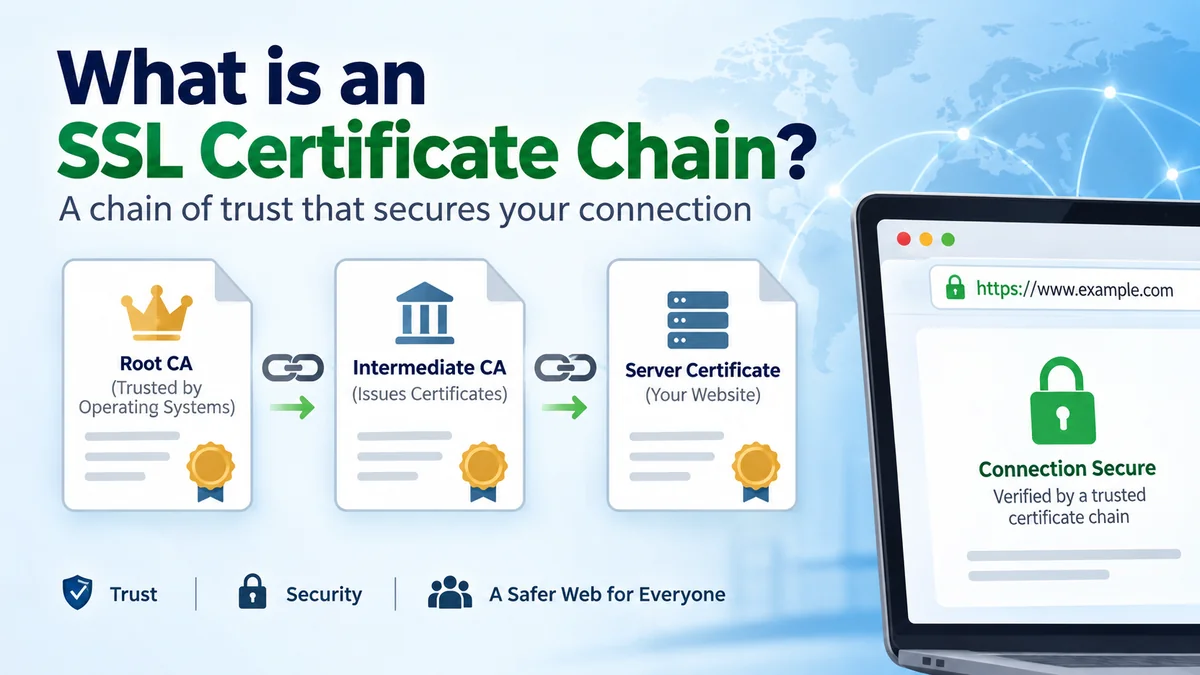
If you’re asking what is an ssl certificate chain, it is the sequence of digital certificates that connects a website’s SSL/TLS certificate to a trusted root Certificate Authority (CA). The chain normally contains the server or leaf certificate, one or more intermediate CA certificates, and a trusted root certificate. Each link helps the client verify the next step in the site’s identity.
Technically, modern HTTPS uses TLS (Transport Layer Security) rather than the older SSL protocol, but “SSL certificate” remains the common term.
What Is an SSL Certificate Chain and Why Does It Exist?
An SSL certificate chain, also called a certificate chain, chain of trust, or certification path, establishes a verifiable path between a website and a Certificate Authority already trusted by a browser, operating system, application, or other TLS client.
The basic structure looks like this:
Root CA Certificate
        ↓ signs
Intermediate CA Certificate
        ↓ signs
Leaf / Server Certificate
        ↓
example.com
It may also contain multiple intermediate CAs:
Trusted Root CA
      ↓
Intermediate CA 1
      ↓
Intermediate CA 2
      ↓
Server Certificate
RFC 5280, which defines the Internet X.509 Public Key Infrastructure certificate and CRL profile, describes these linked certificates as a certification path. A user may need multiple CA certificates because the client begins with only a limited collection of trusted CA public keys.
The chain solves a fundamental problem: when you visit example.com, why should your browser believe that the public key presented by the server really belongs to that domain?
The browser does not blindly trust the website certificate. Instead, it tries to connect that certificate through cryptographically signed certificates until it reaches a trust anchor it already recognizes.
Quick Takeaway
Think of a certificate chain as a sequence of verified introductions. Your browser trusts a root CA. The root authorizes an intermediate CA. The intermediate signs the website certificate. By validating those relationships, the browser can establish trust in the website certificate.
The Three Main Parts of an SSL Certificate Chain
Understanding what is an ssl certificate chain becomes much easier when you separate its three certificate roles.
| Certificate | Main Role | Usually Signed By | Typical Location |
|---|---|---|---|
| Leaf certificate | Identifies the website/server | Intermediate CA | Web server |
| Intermediate certificate | Connects leaf to trusted hierarchy | Root or another intermediate | Usually sent by server |
| Root certificate | Acts as the trust anchor | Usually self-signed | Client trust store |
Each certificate contains information such as its subject, issuer, public key, validity period, signature, extensions, and permitted uses.
1. Leaf Certificate
The leaf certificate is the certificate issued for the actual website or service.
You may also see it called:
- Server certificate
- End-entity certificate
- Subscriber certificate
- Domain certificate
- SSL/TLS certificate
For a website such as www.example.com, the leaf certificate contains identity information associated with that hostname and a public key.
Modern publicly trusted certificates generally identify hostnames using the Subject Alternative Name (SAN) extension.
The leaf certificate normally does not sign other certificates. Its job is to identify the endpoint and provide the public key needed as part of TLS authentication.
It is generally signed by an intermediate CA rather than directly by the root CA.
2. Intermediate Certificate
An intermediate certificate sits between the leaf certificate and the trusted root.
For example:
Root CA
   ↓
Intermediate CA
   ↓
example.com
The intermediate is itself a CA certificate. It receives signing authority through another CA and can then issue certificates according to the restrictions placed on it.
There can be more than one intermediate:
Root
  ↓
Intermediate A
  ↓
Intermediate B
  ↓
Leaf
RFC 5280 explicitly allows certification paths containing zero or more additional CA certificates between an end entity and the trust anchor.
Intermediate certificates are crucial because clients may not already have them locally.
A server therefore normally sends the required intermediate certificate or certificates during the TLS handshake. DigiCert similarly notes that missing intermediates can prevent browsers, mobile devices, and applications from trusting an otherwise valid SSL/TLS certificate.
3. Root Certificate
At the top is the root certificate, representing the root Certificate Authority.
A root certificate is normally self-signed:
Subject: Trusted Root CA
Issuer:  Trusted Root CA
But the browser does not trust it simply because it signed itself.
Trust comes from the root being included in a trusted root store or otherwise explicitly configured as a trust anchor.
Browsers, operating systems, programming runtimes, and applications maintain trusted certificate stores according to their own policies.
That distinction matters:
Cryptographic signature ≠ automatic trust.
Anyone can create a self-signed certificate. It becomes a useful public trust anchor only when the relevant client has independently decided to trust it.
How Does an SSL Certificate Chain Work?
Suppose you open:
https://example.comA simplified TLS certificate validation process works like this.
Step 1: The Server Presents Its Certificate
During a certificate-authenticated TLS handshake, the server provides its end-entity certificate.
It normally also provides the intermediate certificates required to connect that certificate toward a trusted CA.
TLS 1.3 specifies that the sender’s certificate must appear first in the Certificate message, while subsequent certificates should directly certify the preceding certificate.
A simplified server-provided chain might therefore be:
1. example.com
2. Intermediate CA
Notice what is often absent:
3. Root CAThat is intentional.
Step 2: The Client Examines the Leaf Certificate
The client checks the server certificate.
Validation involves more than simply reading its expiration date. Depending on the context, the client needs to establish that the certificate can be used for the intended purpose and that a valid path can be constructed to an acceptable trust anchor.
For a normal HTTPS connection, hostname verification is also essential: the certificate must be valid for the hostname the client is connecting to.
Step 3: The Client Finds the Issuer
The leaf certificate identifies its issuer.
Suppose the chain is:
example.com
Issuer: Example Issuing CA 01
The client needs the corresponding intermediate CA certificate.
That intermediate might say:
Subject: Example Issuing CA 01
Issuer: Example Root CA
The relationship can then continue upward.
Step 4: Digital Signatures Are Verified
The client uses the issuer certificate’s public key to verify the signature on the certificate below it.
Conceptually:
Leaf certificate
     ↑ verified using
Intermediate CA public key

Intermediate certificate
     ↑ verified using
Root CA public key
RFC 5280’s path-validation model requires the certificates in the prospective path to form the appropriate issuer/subject relationship and to be valid at the time being evaluated.
The process is cryptographic. An attacker cannot simply modify a legitimate certificate’s domain name or public key without invalidating its signature.
Step 5: The Chain Reaches a Trusted Root
Eventually, the client attempts to reach a root CA it already accepts as a trust anchor.
If a valid path can be built and the applicable certificate checks succeed, the certificate can be trusted for the connection.
If the client cannot build an acceptable path, certificate validation may fail.
Quick Takeaway
The browser is not asking only:
“Is this website certificate valid?”
It is effectively asking:
“Can I establish a valid certification path from this website certificate to a trust anchor I already trust?”
That is the core purpose of the SSL certificate chain.
Root vs Intermediate vs Leaf Certificates
These terms are easy to confuse because all three can use the same X.509 certificate format.
Their roles, however, are very different.
| Feature | Root Certificate | Intermediate Certificate | Leaf Certificate |
|---|---|---|---|
| CA certificate | Yes | Yes | No, normally |
| Trust anchor | Yes, when trusted by client | Normally no | No |
| Signs other certificates | Yes | Yes | Normally no |
| Identifies website | No | No | Yes |
| Usually sent by web server | Usually unnecessary | Yes | Yes |
| Stored in client trust store | Commonly | Sometimes/cached | Not as a trust anchor |
| Position | Top | Middle | Bottom/end entity |
Why Not Let Root CAs Sign Every Website Certificate?
Separating root and intermediate CAs reduces the need to expose the root’s highly sensitive private key during routine certificate issuance.
A root CA can authorize intermediate CAs, while those intermediates perform operational issuance.
This creates separation between the long-term trust anchor and the infrastructure handling day-to-day certificate issuance.
If an intermediate must be replaced or distrusted, that can potentially be handled without replacing the root trusted across millions or billions of client installations.
That is one reason hierarchical Public Key Infrastructure (PKI) is used.
Why Isn’t the Root Certificate Normally Sent by the Server?
This is one of the most misunderstood parts of certificate chains.
A server generally needs to provide:
Leaf certificate
+
Required intermediate certificate(s)
It generally does not need to send the root certificate.
Why?
Because receiving a root certificate from a website does not make that root trustworthy.
Imagine an attacker sends:
Fake website certificate
↓
Fake intermediate
↓
Fake root
If browsers automatically trusted whatever root a server supplied, the chain-of-trust model would provide no meaningful authentication.
The trust anchor must be obtained independently.
TLS standards reflect this design. TLS 1.2 allows the self-signed root to be omitted because the remote endpoint must already possess it to validate the chain. TLS 1.3 similarly permits certificates specifying trust anchors to be omitted when supported peers are known to have them.
So a typical correctly configured web server sends:
example.com
Intermediate CA
while the client already has:
Trusted Root CAWhat Happens During Certificate Chain Validation?
Certificate validation is more sophisticated than matching issuer names.
A client may evaluate several properties while building and validating a certification path.
Digital Signatures
Each certificate must have a cryptographically valid relationship with its issuer.
If certificate contents are modified after signing, signature verification fails.
Validity Period
Certificates have Not Before and Not After fields.
A certificate outside its accepted validity window cannot simply be treated as currently valid.
For publicly trusted TLS subscriber certificates, validity periods are becoming significantly shorter. Under current CA/Browser Forum Baseline Requirements, subscriber certificates issued from March 15, 2026 through March 14, 2027 have a maximum validity period of 200 days. That maximum falls to 100 days from March 15, 2027 and 47 days from March 15, 2029.
Certificate Purpose and Constraints
X.509 certificates can contain extensions defining what a certificate may do.
For CA certificates, Basic Constraints can indicate that the certificate is permitted to act as a CA.
Other controls can include:
- Key Usage
- Extended Key Usage
- Name Constraints
- Path length constraints
- Certificate Policies
These restrictions help prevent a certificate from being used outside its authorized role.
Hostname Verification
A valid chain alone does not prove that a certificate is valid for the hostname you requested.
A certificate issued for one domain cannot simply be presented as authentication for an unrelated domain.
For HTTPS, the client must verify that the requested hostname is covered by the certificate’s permitted identity information.
Revocation Information
Certificate ecosystems also provide mechanisms for determining whether certificates have been revoked before their scheduled expiration.
Common technologies include:
- Certificate Revocation Lists (CRLs)
- Online Certificate Status Protocol (OCSP)
- OCSP stapling
The exact behavior varies by client and certificate ecosystem, so revocation handling should not be reduced to a single universal browser algorithm.
What Is an Intermediate SSL Certificate?
An intermediate SSL certificate is a CA certificate that bridges a site’s end-entity certificate and a higher-level CA.
Consider:
Root CA
   ↓
Intermediate CA
   ↓
Website Certificate
The intermediate’s role is delegation.
The root essentially establishes:
This intermediate CA is authorized under my trust hierarchy, subject to the certificate’s constraints.
The intermediate can then issue subscriber certificates.
This arrangement allows root private keys to be kept under much tighter controls rather than routinely used for every certificate issuance.
Can There Be Multiple Intermediate Certificates?
Yes.
A valid certification path is not restricted to exactly three certificates.
For example:
Root CA
   ↓
Policy Intermediate
   ↓
Issuing Intermediate
   ↓
Website Certificate
More complex PKI deployments can use deeper hierarchies.
The client only needs to construct an acceptable path to a trust anchor.
What Is a Full Certificate Chain?
The phrase full certificate chain can cause confusion because it is used differently by tools and administrators.
In common web-server configuration, a “full chain” file frequently means:
Leaf certificate
+
Intermediate certificate(s)
For example, a PEM file may contain:
-----BEGIN CERTIFICATE-----
Leaf certificate
-----END CERTIFICATE-----

-----BEGIN CERTIFICATE-----
Intermediate certificate
-----END CERTIFICATE-----
The trusted root is often not included because clients already obtain trust anchors independently.
This distinction matters when working with files named:
cert.pemchain.pemfullchain.pemca-bundle.crtbundle.crt
Their exact meanings can vary by certificate provider, hosting platform, and software package. Do not assume two similarly named files contain identical certificate sets.
SSL Certificate Chain Example
Let’s use a simplified example based on the model used by Let’s Encrypt.
A chain could conceptually look like:
ISRG Root X1
      ↓
Let's Encrypt Intermediate
      ↓
www.example.com
Let’s Encrypt has also operated alternate and changing issuance chains over time. For example, it documented default chains using ISRG Root X1 with RSA or ECDSA intermediates, while an alternate ECDSA path could lead to ISRG Root X2.
This highlights an important point:
A leaf certificate does not necessarily have only one possible trust path.
Cross-Signing and Alternate Certificate Chains
A CA certificate may sometimes be represented by certificates signed through different trust hierarchies.
This is known as cross-signing.
Cross-signing has historically helped newer CAs maintain compatibility with older devices that did not yet contain their newer root certificate.
Let’s Encrypt used this strategy during the transition to its ISRG roots, including cross-signing arrangements designed to maintain compatibility with older Android devices.
As a result, different clients can sometimes construct different valid certification paths for the same server certificate.
That is why certificate-chain troubleshooting is not always as simple as counting certificates.
What Is a Broken SSL Certificate Chain?
A broken certificate chain means a client cannot construct and validate an acceptable path from the server certificate to a trusted root.
One of the most common causes is a missing intermediate.
Suppose your server sends only:
example.combut validation requires:
example.com
↓
Intermediate CA
↓
Trusted Root CA
If the client cannot obtain the intermediate another way, it cannot complete the path.
Common SSL Certificate Chain Errors
Typical causes include:
| Problem | What Happens |
|---|---|
| Missing intermediate | Client cannot connect leaf to trusted root |
| Incorrect intermediate | Presented issuer doesn’t provide the required path |
| Expired certificate | A required certificate fails time validation |
| Untrusted root | Chain ends at a CA the client doesn’t trust |
| Hostname mismatch | Certificate chain may be valid, but not for requested host |
| Invalid signature | Cryptographic verification fails |
| Incorrect server configuration | Required chain may not be presented correctly |
| Legacy client | Client may lack a newer trust anchor or algorithm support |
A certificate can therefore be perfectly valid in isolation while the HTTPS deployment remains broken.
Why Can an SSL Chain Work in One Browser but Fail in Another?
This situation catches many administrators off guard.
A website may work on your laptop but fail on another phone, application, embedded device, API client, or older operating system.
Several factors can explain the difference.
Different Trust Stores
Not every TLS client relies on exactly the same root certificate store.
Clients can therefore disagree about which trust anchors are accepted.
Cached Intermediate Certificates
One client may already have a required intermediate available locally while another does not.
This can hide a server-side configuration problem.
The practical lesson is simple:
Never rely on a client having previously cached an intermediate certificate.
Configure the server to provide the intermediates needed for its intended chain.
Older Devices
Older operating systems may lack newer root certificates.
A chain that works perfectly on current systems can therefore fail on legacy devices.
Different Path-Building Behavior
Certificate path construction is implementation-dependent in important respects.
One client may successfully discover an alternate valid path while another cannot.
This is particularly relevant when cross-signed CA certificates and multiple possible chains exist.
How to Check an SSL Certificate Chain
You can inspect certificate chains using browsers, OpenSSL, or dedicated TLS testing tools.
Check the Chain in a Browser
Most modern browsers provide certificate information through the site’s security or connection controls.
Depending on the browser, look for options such as:
Site information
→ Connection security
→ Certificate information
Inspect:
- Subject
- Issuer
- Validity dates
- Subject Alternative Names
- Certificate hierarchy
- Signature algorithm
- Public key
- Certificate extensions
Browser interfaces change frequently, so the exact menu names may differ.
Check an SSL Certificate Chain With OpenSSL
For administrators, OpenSSL is one of the most useful tools.
A common command is:
openssl s_client -connect example.com:443 -servername example.com -showcertsThe -servername parameter supplies Server Name Indication (SNI), which is important when multiple HTTPS sites share the same IP address.
The output can reveal certificates supplied by the server and verification information.
Look for:
Certificate chainand check the sequence of certificates.
A healthy server presentation will normally contain:
0: Leaf certificate
1: Intermediate certificate
2: Additional intermediate, if required
The root may be absent, and that is normally expected.
Inspect a Certificate File
If you already have a certificate file:
openssl x509 -in certificate.pem -text -nooutUseful fields include:
Subject
Issuer
Validity
X509v3 Basic Constraints
X509v3 Key Usage
X509v3 Extended Key Usage
X509v3 Subject Alternative Name
Authority Key Identifier
Subject Key Identifier
These fields help determine what role the certificate plays and how it relates to potential issuers.
Verify a Certificate Against a Chain
OpenSSL can also verify certificates using an explicitly provided trust anchor and intermediate set.
For example:
openssl verify \
  -CAfile root.pem \
  -untrusted intermediate.pem \
  server.pem
A successful result typically ends with:
server.pem: OKIf verification fails, OpenSSL provides an error that can help locate the problem.
How to Fix an Incomplete SSL Certificate Chain
If a TLS checker reports an incomplete chain, do not immediately request a new leaf certificate.
The leaf may be fine.
The problem is often server configuration.
1. Identify the Issuing CA
Inspect the leaf certificate:
openssl x509 -in server.pem -issuer -subject -nooutDetermine which CA issued it.
2. Obtain the Correct Intermediate Certificate
Use the intermediate certificate supplied or documented by your Certificate Authority.
Do not select a certificate simply because its filename or organization name looks similar.
The intermediate must form an appropriate cryptographic path for the certificate you are deploying.
3. Build the Appropriate Server Chain
A common PEM arrangement is:
Leaf certificate
Intermediate certificate 1
Intermediate certificate 2
The server’s own end-entity certificate comes first in the TLS certificate list. TLS 1.3 says each following certificate should directly certify the one immediately before it.
4. Configure the Web Server
Your exact configuration depends on the server and hosting platform.
Common environments include:
- Apache HTTP Server
- Nginx
- Microsoft IIS
- HAProxy
- Caddy
- CDN and reverse proxy platforms
- Managed WordPress hosting
- Cloud load balancers
Some expect a leaf certificate and chain separately. Others expect a combined full-chain file.
Follow the requirements of the actual software rather than copying configuration from a different server.
5. Restart or Reload the Service
After changing certificate files, make sure the service actually loads the new configuration.
A common troubleshooting mistake is editing the correct file while the running server still uses an old certificate or configuration.
6. Test From Outside the Server
Run:
openssl s_client -connect yourdomain.com:443 \
  -servername yourdomain.com \
  -showcerts
Do not test only the files stored on disk.
What matters is what the public server actually presents to clients.
Quick Takeaway
When fixing an incomplete chain, verify the certificate being served over the network, not merely the certificate files installed on the machine.
Certificate Chain vs Certificate Bundle
These terms are related but not identical.
A certificate chain describes the logical trust relationship:
Leaf → Intermediate → RootA certificate bundle is usually a file containing multiple certificates.
For example:
-----BEGIN CERTIFICATE-----
Certificate A
-----END CERTIFICATE-----
-----BEGIN CERTIFICATE-----
Certificate B
-----END CERTIFICATE-----
A bundle might contain:
- Leaf + intermediate certificates
- Multiple intermediate certificates
- CA certificates
- A custom trust-store collection
Therefore, a bundle is a packaging format or convention, while a chain describes a trust path.
Certificate Chain vs Trust Store
A certificate chain and trust store also serve different purposes.
The certificate chain supplies the certificates needed to build a path.
The trust store determines which roots the client accepts as trust anchors.
Think of it this way:
Server provides:
Leaf → Intermediate(s)

Client already trusts:
Root
The client attempts to connect the two:
Leaf
  ↓
Intermediate
  ↓
Root in trust store
  ↓
Trusted path
A technically valid chain leading to a root absent from the client’s trust store may still be rejected.
Certificate Chain vs Self-Signed Certificate
A self-signed certificate uses its own private key to sign itself.
For a root CA, self-signing is normal because trust in that root comes from independent distribution and explicit trust.
For an ordinary public website, however, simply creating a self-signed certificate does not make browsers trust it.
For example:
example.com
   ↓
example.com
has no independently trusted public CA path.
Self-signed certificates can still be useful for controlled internal environments, development, testing, appliances, and private PKI when administrators explicitly distribute and trust the appropriate certificate.
Does the Certificate Chain Encrypt Your Data?
Not directly.
This distinction is important.
The certificate chain’s primary role is authentication and trust establishment. It helps the client determine whether the certificate and public key presented by the server can be trusted for the requested identity.
TLS then uses its handshake and cryptographic mechanisms to establish keys for protecting application traffic.
So:
Certificate chain → establishes authenticated trust
TLS handshake → establishes connection security parameters and keys
Symmetric encryption → protects application data in transit
Saying “the certificate chain encrypts the website” oversimplifies what actually happens.
Does HTTPS Need a Certificate Chain?
Public HTTPS normally relies on a certification path to a trust anchor accepted by the client.
However, TLS itself is broader than public websites.
Private organizations can operate their own private Certificate Authority, install the organization’s root certificate on managed devices, and issue internal certificates through that PKI.
For example:
Company Root CA
      ↓
Company Issuing CA
      ↓
internal.example
The structure is still a certificate chain.
The difference is that the trust anchor was distributed privately rather than through a public browser or operating-system root program.
What Are Authority Key Identifier and Subject Key Identifier?
When troubleshooting chains, you may encounter two X.509 extensions:
Subject Key Identifier (SKI) identifies a certificate’s public key.
Authority Key Identifier (AKI) helps identify the key associated with the authority that signed a certificate.
They can help certificate-processing software identify potential issuer relationships, particularly where several CA certificates have similar names.
However, building a certification path involves more than comparing two text strings. Digital signatures, certificate constraints, trust anchors, policies, and other validation rules matter too.
Why Certificate Chain Order Matters
Administrators are often told that the certificate order must be:
Leaf
Intermediate
Root
That needs some nuance.
TLS 1.2 specifies the sender certificate first and then requires each following certificate to directly certify the preceding one; the self-signed root may be omitted.
TLS 1.3 still requires the end-entity certificate first and says each following certificate should directly certify the preceding certificate, while also advising implementations to tolerate extraneous certificates and arbitrary ordering beyond the required first end-entity certificate for compatibility.
For practical server administration, the safest convention remains:
Leaf
↓
Immediate issuer
↓
Next intermediate, if needed
Do not depend on a client’s ability to repair a poorly presented chain.
What Is Certificate Path Building?
The certificates sent by the server and the path ultimately selected by the client are not always identical concepts.
Certificate presentation is what the server sends.
Path building is the client’s process of finding a path from the leaf to a trust anchor it accepts.
This matters because a CA can sometimes provide multiple possible paths.
For example:
                 → Root A
Leaf → Intermediate
                 → Root B
Cross-signing can make such alternatives possible.
The client may select a path according to its available trust anchors, certificates, policies, algorithms, and implementation behavior.
This explains why one device can accept a site while another rejects it.
How Certificate Chains Relate to PKI
Certificate chains are part of Public Key Infrastructure (PKI).
PKI combines technologies, standards, organizations, policies, keys, and procedures needed to issue and manage digital certificates.
Important entities include:
- Certificate Authorities (CAs)
- Root CAs
- Intermediate or issuing CAs
- Subscribers
- Relying parties
- X.509 certificates
- Public and private keys
- Digital signatures
- Trust stores
- Certificate policies
- Revocation systems
The certificate chain connects these elements into a usable trust model.
Without a chain of trust, a browser could receive a public key from a server but would lack the normal Web PKI mechanism for determining whether an accepted authority authenticated that key for the requested site.
How Certificate Renewal Can Break the Chain
Renewing an SSL/TLS certificate does not always mean you can replace only the leaf certificate and leave everything else untouched forever.
A CA may change its issuing intermediates or available chain.
Let’s Encrypt, for example, has changed issuance chains as its CA hierarchy evolves, including deploying new intermediate certificates and introducing new root and intermediate generations.
After renewal, verify:
- The new leaf certificate is actually being served.
- The correct intermediate certificate or certificates are deployed.
- The server presents an appropriate chain.
- The hostname is covered.
- The relevant certificates are within their validity periods.
- External clients can construct a trusted path.
This is particularly important as public TLS certificate validity periods shorten and certificate renewal becomes more frequent.
Automation can reduce the chance of human error, but automated renewal should still be monitored and tested.
Common SSL Certificate Chain Mistakes
Several configuration errors appear repeatedly in real deployments.
Installing Only the Leaf Certificate
This may appear to work on an administrator’s browser because it already has the intermediate available.
Other clients can fail.
Better approach: serve the required intermediate certificates.
Sending an Unnecessary Root
The root generally does not need to be sent by a public HTTPS server.
It does not create trust for clients that do not already trust it.
Better approach: normally serve the leaf plus required intermediate certificates.
Assuming a Padlock Means Every Client Will Work
A successful connection from one browser does not prove universal compatibility.
Better approach: test from independent clients and TLS analysis tools.
Confusing Expiration With Chain Failure
An unexpired leaf certificate can still fail because its path cannot be built or another required certificate is invalid.
Better approach: inspect the entire certification path.
Using an Old CA Bundle After Renewal
The newly issued certificate may rely on a different intermediate.
Better approach: use the chain supplied or currently documented for the newly issued certificate.
Ignoring SNI During Command-Line Tests
Testing an IP or shared host without SNI can return the certificate for a different virtual host.
Better approach:
openssl s_client -connect example.com:443 -servername example.comHow to Keep an SSL Certificate Chain Healthy
A reliable HTTPS deployment needs more than installing a certificate once and forgetting about it.
Use these practices:
- Automate certificate renewal where practical. Shorter public certificate lifetimes make reliable automation increasingly valuable.
- Deploy the correct intermediate certificates. Do not assume every client can retrieve or cache them.
- Test the public endpoint after certificate changes. Verify what users actually receive.
- Monitor expiration dates. Check the leaf and relevant CA certificates.
- Keep TLS software current. Older libraries may have outdated trust stores or compatibility limitations.
- Do not treat roots and intermediates interchangeably. Their roles in PKI are different.
- Retest after changing hosting, CDN, proxy, or load-balancer configuration. TLS may terminate somewhere other than the origin server.
- Check multiple client types when compatibility matters. Browsers, APIs, Java applications, mobile devices, embedded systems, and older operating systems may behave differently.
What Is an SSL Certificate Chain? Final Explanation
So, what is an ssl certificate chain?
It is the cryptographically verifiable path that connects a site’s end-entity SSL/TLS certificate through one or more intermediate Certificate Authorities to a root or other trust anchor accepted by the client.
The basic model is:
Website / Leaf Certificate
          ↓
Intermediate CA Certificate
          ↓
Trusted Root CA
The website normally sends its leaf certificate and the required intermediate certificates. The client already possesses or independently obtains its trusted root certificates. It validates the certification path, certificate signatures, applicable constraints, validity, hostname identity, and other relevant rules before accepting the certificate.
When the chain is incomplete or cannot lead to an acceptable trust anchor, HTTPS authentication can fail even if the site’s leaf certificate itself looks correct.
That is why troubleshooting TLS should never stop at “Is my SSL certificate installed?” The more useful question is: Can every intended client build a valid path from this certificate to a trust anchor it accepts?
