

Knowing how to use a computer and demonstrating your skills under examination conditions are two different things. Many students and job applicants struggle with computer assessments because they understand basic technology but lack practical experience with office applications.
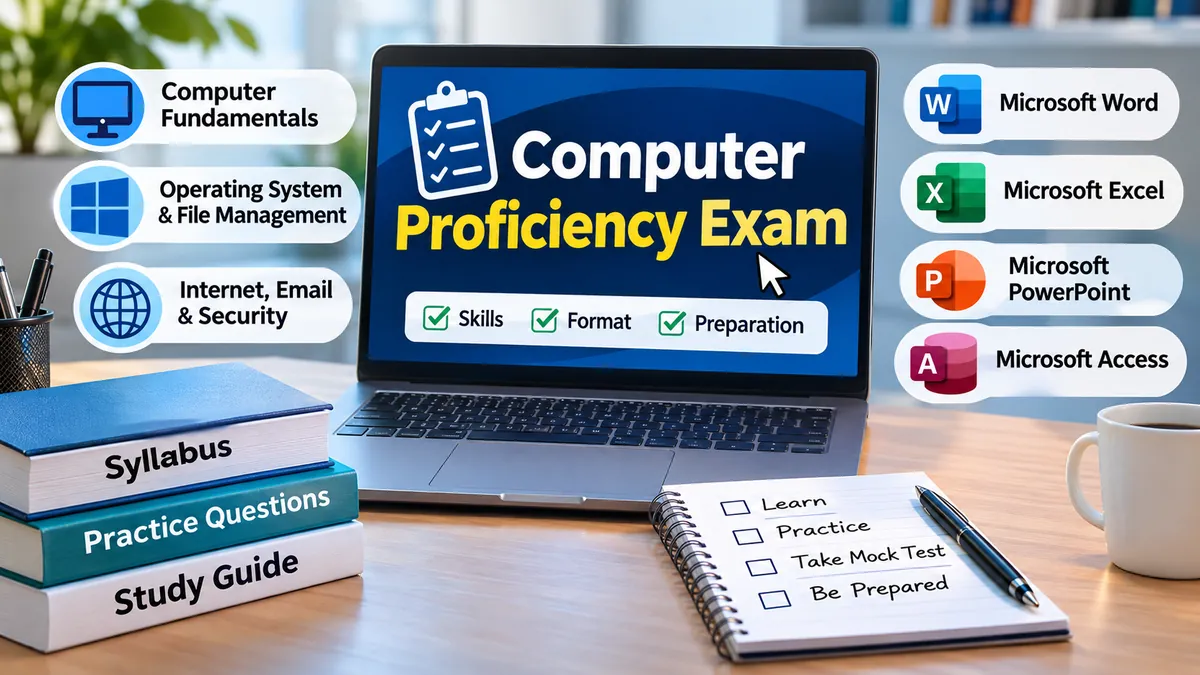
A computer proficiency exam is an assessment that measures a person’s ability to operate computers, manage digital information, and use common software applications. It typically covers computer fundamentals, Microsoft Word, Excel, PowerPoint, operating systems, internet usage, and sometimes databases through multiple-choice questions, practical exercises, or both.
These examinations help universities, employers, and educational institutions determine whether candidates possess the digital skills required for academic and professional responsibilities.
What Is the Purpose of a computer proficiency exam?
A computer proficiency test evaluates whether an individual can complete everyday computer-related tasks accurately and independently.
Universities frequently use these examinations to determine whether students can satisfy computer literacy requirements without completing an introductory computer course. Employers may use similar assessments during recruitment to evaluate workplace readiness.
The primary objectives include:
- Assessing fundamental computer knowledge.
- Measuring practical software skills.
- Evaluating digital literacy.
- Identifying weaknesses in information technology skills.
- Determining eligibility for academic course exemptions.
- Assessing readiness for administrative and office-based employment.
- Measuring accuracy and efficiency when completing digital tasks.
For example, California State University, Long Beach, requires business students to demonstrate computer competency as part of their academic requirements. Its proficiency examination includes practical Microsoft Office exercises. California State University Long Beach
Computer Proficiency vs. Computer Literacy
Although these terms are closely related, they measure slightly different abilities.
| Feature | Computer Literacy | Computer Proficiency |
|---|---|---|
| Skill level | Foundational | Practical and applied |
| Primary focus | Understanding computers | Completing computer tasks |
| Software knowledge | Basic familiarity | Functional competence |
| Assessment | Knowledge-based | Knowledge and practical performance |
| Example | Understanding spreadsheets | Creating spreadsheet formulas |
| Application | Everyday digital activities | Academic and professional tasks |
Computer literacy provides the foundation, while proficiency demonstrates the ability to apply that knowledge effectively.
computer proficiency exam Syllabus and Major Topics
The syllabus depends on the institution administering the examination. However, most assessments focus on fundamental computing concepts and productivity applications.
University study guides commonly include hardware, software, networking, word processing, spreadsheets, presentations, and database management. American University Dubai+1
Computer Fundamentals
Candidates should understand the essential components of a computer system and how they work together.
Important topics include:
- Central Processing Unit (CPU)
- Random Access Memory (RAM)
- Read-Only Memory (ROM)
- SSD and HDD storage
- Input and output devices
- Computer hardware and software
- System software and application software
- Data storage units
- Computer networks
For example, a keyboard is an input device, a monitor is an output device, and RAM temporarily stores information required by active applications.
Operating Systems and File Management
Operating systems provide the environment in which computer applications run. Microsoft Windows is frequently used in institutional computer assessments.
Candidates should know how to create folders, rename files, move documents, recover deleted files, install permitted applications, and navigate system settings.
Understanding file extensions is equally useful.
| File Extension | File Type |
|---|---|
| .docx | Microsoft Word document |
| .xlsx | Microsoft Excel workbook |
| .pptx | PowerPoint presentation |
| .accdb | Microsoft Access database |
| Portable Document Format | |
| .txt | Plain text document |
| .csv | Comma-separated values |
| .zip | Compressed archive |
Internet, Email and Digital Security
Internet-related questions assess a candidate’s understanding of online communication and responsible technology usage.
Common topics include web browsers, search engines, URLs, email attachments, downloading files, cloud storage, Wi-Fi, computer viruses, phishing, antivirus software, and password security.
Candidates should also understand the difference between HTTP and HTTPS and recognize suspicious emails or potentially harmful attachments.
Microsoft Office Skills Required for the Exam
Microsoft Office applications form a major component of many computer competency assessments. Candidates may be required to create documents, calculate numerical results, prepare presentations, or organize information in databases.
Microsoft Word
Microsoft Word evaluates word processing and document formatting skills.
Typical examination tasks involve:
- Creating and editing documents.
- Changing font size, style, and color.
- Adjusting margins and paragraph alignment.
- Inserting pictures and tables.
- Adding page numbers, headers, and footers.
- Applying heading styles and bullet points.
- Using Find and Replace.
- Creating a table of contents.
- Saving and printing documents.
A practical question might require candidates to prepare a one-page business letter using a specified font, line spacing, heading alignment, and page layout.
Accuracy matters because examination instructions may specify exact formatting requirements.
Microsoft Excel
Excel assesses spreadsheet management, numerical calculations, and data analysis. It can be particularly challenging for candidates who have limited experience with formulas.
Essential Excel concepts include workbooks, worksheets, rows, columns, cell references, conditional formatting, sorting, filtering, and charts.
The following functions are especially useful for exam preparation.
| Excel Function | Purpose | Example |
|---|---|---|
| SUM | Adds numerical values | =SUM(A1:A10) |
| AVERAGE | Calculates the mean | =AVERAGE(A1:A10) |
| MAX | Finds the highest value | =MAX(A1:A10) |
| MIN | Finds the lowest value | =MIN(A1:A10) |
| COUNT | Counts numeric cells | =COUNT(A1:A10) |
| COUNTA | Counts non-empty cells | =COUNTA(A1:A10) |
| IF | Evaluates a condition | =IF(A1>=50,"Pass","Fail") |
| ROUND | Rounds a number | =ROUND(A1,2) |
| COUNTIF | Counts matching cells | =COUNTIF(A1:A10,">50") |
Candidates should also understand relative references such as A1 and absolute references such as $A$1.
A comprehensive spreadsheet assessment may include worksheet formatting, AutoFill, Formula Bar usage, Freeze Panes, print settings, and calculations involving multiple worksheets. utica.edu
Microsoft PowerPoint
PowerPoint assessments measure presentation creation and visual communication skills.
Candidates may need to create slides, apply themes, select slide layouts, insert graphics, add speaker notes, and configure slideshow settings.
Understanding the difference between transitions and animations is useful:
- Transitions: Visual effects that occur when moving between slides.
- Animations: Visual effects applied to individual objects within a slide.
A typical assignment might involve creating a five-slide presentation containing a title slide, formatted text, an image, a chart, and consistent transitions.
Microsoft Access
Some examinations include Microsoft Access to evaluate basic database management skills.
Important concepts include tables, records, fields, primary keys, relationships, queries, forms, and reports.
For example, candidates may be asked to create a student database, assign unique student identification numbers, establish relationships between tables, and generate a query that displays selected records.
Microsoft Access is mandatory in some institutional proficiency assessments but is not a universal requirement.
Exam Format, Duration and Passing Marks
Computer competency tests do not follow a single international examination format. Each university, employer, or testing organization establishes its own syllabus, scoring system, and time limits.
Types of Computer Proficiency Tests
| Examination Type | Assessment Method |
|---|---|
| Multiple-choice test | Selecting correct answers |
| Practical examination | Completing tasks using software |
| Written examination | Answering theoretical questions |
| Online assessment | Completing a digital evaluation |
| Combined examination | Theory and practical activities |
| Typing assessment | Measuring typing speed and accuracy |
How Long Does the Examination Take?
Exam duration varies according to the number of questions, software modules, and complexity of practical activities.
Examples of institutional requirements include:
| Institution | Duration | Passing Requirement |
|---|---|---|
| California State University, Long Beach | 120 minutes | 70% in each module |
| Heartland Community College | 120 minutes | 75% |
| Jefferson College | Untimed; approximately 150 minutes recommended | 80% cumulative in the practical Office component |
| Malatya Turgut Özal University (2025 exemption exam) | Not specified in announcement | 55 marks |
Sources: Official institutional examination guides and announcements. California State University Long Beach+3
Is a Computer Proficiency Test Difficult?
A basic computer skills assessment is generally manageable for candidates who regularly use computers and office applications.
However, difficulty increases when the examination includes advanced Excel formulas, database relationships, unfamiliar software interfaces, or strict time limits.
Programming is not normally required for general computer literacy examinations unless the official syllabus specifically includes it. Elmhurst University’s computer proficiency study guide, for example, explicitly excludes programming skills. Elmhurst University
Computer Proficiency Exam Sample Questions and Answers
Practicing theoretical questions alongside hands-on exercises helps candidates become familiar with different assessment formats.
The following original practice questions cover commonly tested computer skills.
Multiple-Choice Practice Questions
1. Which computer component temporarily stores data used by running applications?
A. ROM
B. RAM
C. SSD
D. Monitor
Answer: B. RAM
2. Which keyboard shortcut saves a document in most Windows applications?
A. Ctrl + P
B. Ctrl + X
C. Ctrl + S
D. Ctrl + A
Answer: C. Ctrl + S
3. Which Excel function calculates the arithmetic mean?
A. SUM
B. COUNT
C. MAX
D. AVERAGE
Answer: D. AVERAGE
4. What is the intersection of a row and column in Excel called?
A. Workbook
B. Cell
C. Chart
D. Worksheet
Answer: B. Cell
5. Which application is primarily used to create presentations?
A. Microsoft Access
B. Microsoft Excel
C. Microsoft PowerPoint
D. Microsoft Word
Answer: C. Microsoft PowerPoint
6. Which database field uniquely identifies a record?
A. Primary key
B. Text field
C. Report
D. Form
Answer: A. Primary key
7. What does phishing primarily attempt to achieve?
A. Improve internet speed
B. Compress digital files
C. Obtain sensitive information through deception
D. Update an operating system
Answer: C. Obtain sensitive information through deception.
8. Which Excel formula adds the values between cells B1 and B5?
A. =COUNT(B1:B5)
B. =SUM(B1:B5)
C. =MAX(B1:B5)
D. =AVERAGE(B1:B5)
Answer: B. =SUM(B1:B5)
Practical Excel Examination Example
Create a spreadsheet using the following student marks.
| Student | English | Mathematics | Computer Science | Total | Average |
|---|---|---|---|---|---|
| James | 75 | 80 | 85 | 240 | 80 |
| Sarah | 90 | 85 | 95 | 270 | 90 |
| Michael | 65 | 70 | 75 | 210 | 70 |
| Emma | 80 | 90 | 85 | 255 | 85 |
Assuming the table begins in cell A1, calculate the first student’s total marks using:
=SUM(B2:D2)
Calculate the average using:
=AVERAGE(B2:D2)
To determine whether the student passes when the required average is 50 marks, enter:
=IF(F2>=50,"Pass","Fail")
Copy the formulas into the remaining rows using the fill handle. Then format the headings in bold, apply borders, and create a column chart comparing student performance.
This exercise develops several spreadsheet skills within a single task.
Practical Microsoft Word Examination Example
Create a document titled Computer Skills Assessment Report.
Apply a 16-point bold heading, use an 11-point font for body text, set paragraph spacing to 1.5 lines, insert a three-column table, and add page numbers in the footer.
Save the finished document as Computer_Skills_Report.docx.
Completing this task tests document creation, text formatting, table management, and file-saving skills.
How to Prepare for a Computer Proficiency Test
Effective preparation requires more than memorizing computer-related definitions. Candidates should spend time completing practical activities using the software specified in their examination syllabus.
Follow a Seven-Day Study Plan
| Day | Study Topic | Practical Activity |
|---|---|---|
| Day 1 | Computer fundamentals | Identify hardware and software components |
| Day 2 | Windows and file management | Create, rename, copy, and organize files |
| Day 3 | Microsoft Word | Create and format professional documents |
| Day 4 | Microsoft Excel | Practice formulas, functions, and charts |
| Day 5 | Microsoft PowerPoint | Create and format a presentation |
| Day 6 | Internet, security, and databases | Practice email tasks and basic database operations |
| Day 7 | Mock examination | Complete a timed theory and practical test |
Beginners may need several weeks of preparation. Candidates who already use office applications regularly may require less time.
Learn Essential Keyboard Shortcuts
Keyboard shortcuts improve efficiency during timed practical examinations.
| Shortcut | Function |
|---|---|
| Ctrl + C | Copy |
| Ctrl + V | Paste |
| Ctrl + X | Cut |
| Ctrl + Z | Undo |
| Ctrl + Y | Redo |
| Ctrl + S | Save |
| Ctrl + A | Select all |
| Ctrl + B | Bold |
| Ctrl + I | Italic |
| Ctrl + U | Underline |
| Ctrl + F | Find |
| Ctrl + P | |
| Alt + Tab | Switch applications |
| Windows + E | Open File Explorer |
| F2 | Rename a selected file in File Explorer |
These shortcuts apply to common Windows applications, although individual software programs may use certain keys differently.
Use Reliable Study Resources
Candidates can improve their skills using freely accessible educational resources, including:
- Microsoft Support tutorials.
- University examination study guides.
- GCFGlobal computer training lessons.
- LinkedIn Learning courses, where accessible.
- Microsoft Office practice exercises.
- Official sample examination papers.
- Online computer literacy mock assessments.
Always prioritize the official study guide provided by your examination authority. General practice materials may include topics that are not part of your actual assessment.
Practice Under Real Examination Conditions
Set a timer and complete a mock test without relying on tutorials or outside assistance.
Practice using the same software version required by the examination whenever possible. Microsoft 365, Office 2016, and newer desktop editions share many features, but their interfaces and available functions can differ.
Review your mistakes after every practice session. Focus particularly on tasks that take too long or produce incorrect results.
Common Mistakes, Examination Requirements and Results
Even candidates with strong computer knowledge can lose marks through avoidable mistakes.
Common Mistakes to Avoid
- Saving files in the wrong folder or format.
- Entering calculated values manually instead of using required formulas.
- Ignoring specified font sizes or document margins.
- Confusing relative and absolute Excel references.
- Applying incorrect slide layouts.
- Forgetting to save completed work.
- Spending too much time on a single question.
- Misreading examination instructions.
- Submitting incomplete documents.
Pay particular attention to file names. Automated grading systems or examination administrators may require specific naming conventions to identify submitted work correctly.
What Should You Check Before the Examination?
Before attending an assessment, confirm the examination date, registration deadline, identification requirements, permitted software, passing criteria, and retake policy.
For remote examinations, verify your internet connection, webcam, operating system compatibility, and required applications.
Do not assume that online examinations allow internet searches, notes, calculators, or AI assistance. Permitted resources depend on the examination provider’s rules.
Candidates requiring disability-related accommodations should contact their institution before the examination date.
What Happens If You Fail?
Failing a computer competency assessment does not necessarily prevent you from continuing your education or applying for employment.
Depending on the institution’s policy, candidates may be allowed to retake the examination, repeat unsuccessful modules, complete additional training, or enroll in a computer fundamentals course.
The American University in Dubai, for example, describes a course-based alternative for engineering students who do not pass its computer competency assessment. American University Dubai
Check your institution’s official regulations to understand the applicable requirements.
Is Computer Proficiency Certification Useful for Employment?
Demonstrating computer competency can support applications for administrative, educational, data entry, accounting, customer service, and office-based positions.
However, an institutional proficiency examination is not necessarily equivalent to a professional certification.
Credentials such as Microsoft Office Specialist (MOS), ICDL, and IC3 Digital Literacy Certification are separate assessments with their own examination objectives and recognition.
For employment purposes, practical experience and the ability to demonstrate relevant software skills can be as valuable as formal credentials.
Conclusion
A computer proficiency exam measures essential digital skills required for academic success, workplace productivity, and everyday computer usage. Most assessments focus on computer fundamentals, file management, Microsoft Word, Excel, PowerPoint, internet security, and, in some cases, database management.
The most effective preparation strategy combines theoretical knowledge with regular hands-on practice. Understanding spreadsheet formulas, mastering document formatting, learning keyboard shortcuts, and completing timed mock examinations can improve both confidence and accuracy.
Start by reviewing your institution’s official syllabus, identifying your weakest computer skills, and developing a structured study routine. The knowledge gained through preparation extends beyond passing an examination and provides practical skills that remain useful throughout your education and professional career.
